Ithura Integrations
Connect Ithura to the tools your team already uses: chat, source control, file storage, and automation platforms. This directory is the setup reference for every integration Ithura ships.
How integrations work
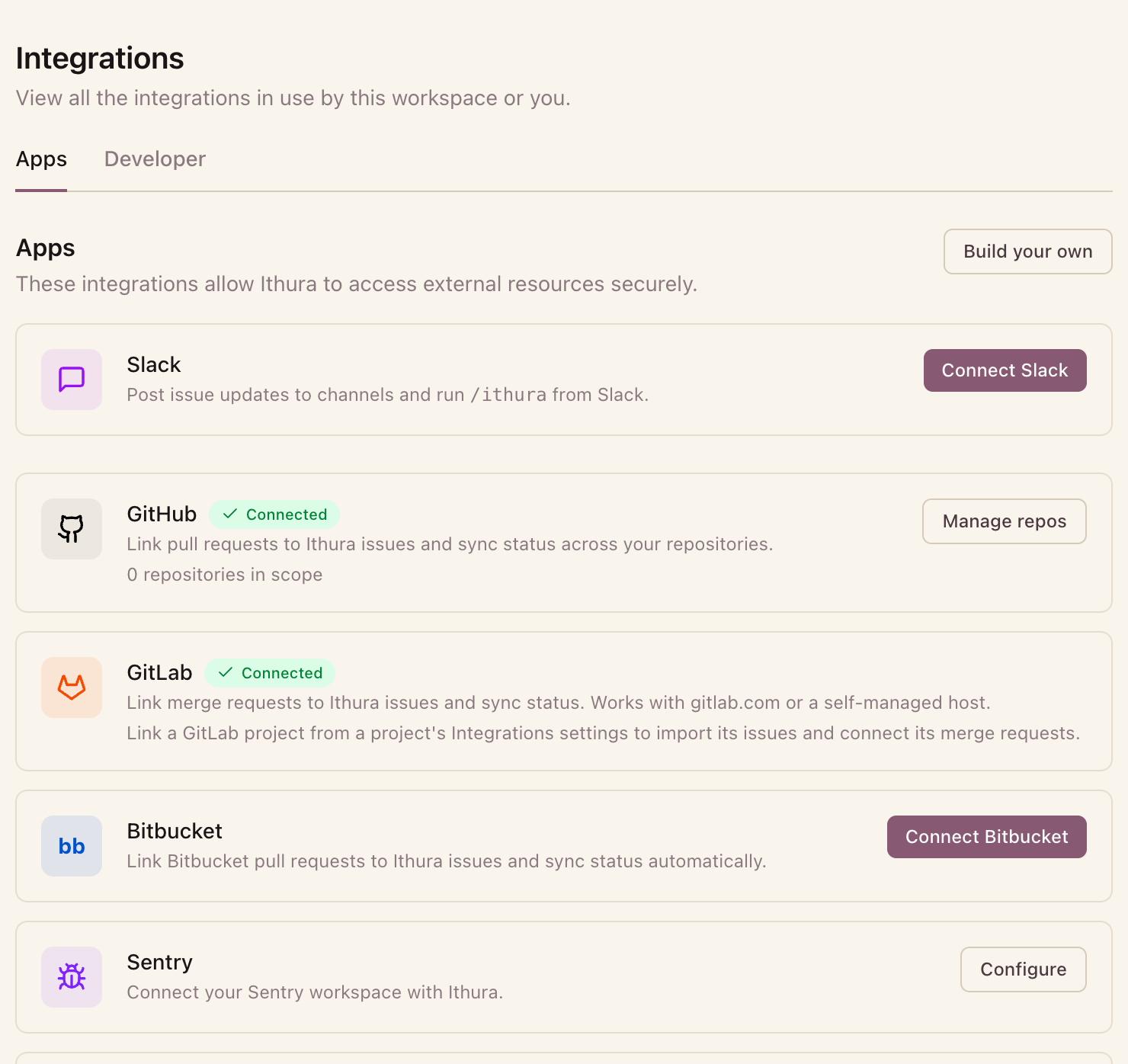
Ithura's integrations are Apps: deep product integrations where data flows into Ithura, entities link, and status syncs, with no AI needed. Connect them from Settings -> Integrations -> Apps. Slack, GitHub, GitLab, Bitbucket, and Sentry are all Apps.
The two layers you configure
Almost every integration is configured at two layers. Knowing which layer you are on saves a lot of confusion.
| Layer | Who | Where | What happens |
|---|---|---|---|
| Workspace | Workspace admin | Workspace settings -> Integrations (/{workspace}/settings/integrations) | Connect the workspace to the provider, usually one OAuth click. |
| Project | Project admin | Project settings -> Integrations (/{workspace}/projects/{project}/settings/integrations) | Bind a specific channel, repo, or webhook to this project. |
Not every integration uses both layers. Zapier / Make skips OAuth and uses a workspace API token instead.
Integrations
| Integration | Direction | Setup guide |
|---|---|---|
| Slack | Bidirectional (notifications, /ithura, Asks intake) | slack.md |
| GitHub | Inbound PR linking + status sync, outbound completion comment | github.md |
| GitLab | Bidirectional (issue + comment mirror, MR linking + status sync) | gitlab.md |
| Bitbucket | Inbound PR linking + status sync | bitbucket.md |
| Sentry | Link error groups to work items, status sync from Sentry | sentry.md |
| Google Drive / Dropbox | Attach + embed files | file-attachments.md |
| Zapier / Make | Bidirectional (triggers + actions) | zapier-make.md |
GitHub, GitLab, and Bitbucket share the same linking, status-sync, branch-name, and completion-comment behavior once connected. That common surface is documented once in Git linking, status sync, and branch names; the provider guides cover only their own setup and link to it.
For multichannel Asks intake (Slack, email, and the web form) from people who have no Ithura account, see the Asks intake guide. The integration guides here link to it rather than repeating it.
A note on production URLs
In production the SPA and the API run on different hosts (for example
ithura.com and api.ithura.com). Any webhook or request URL you paste into a
provider must point at the API host, and the authenticated API is mounted at the
host root: use https://<api-host>/webhooks/..., never a /api/... prefix.