Imports
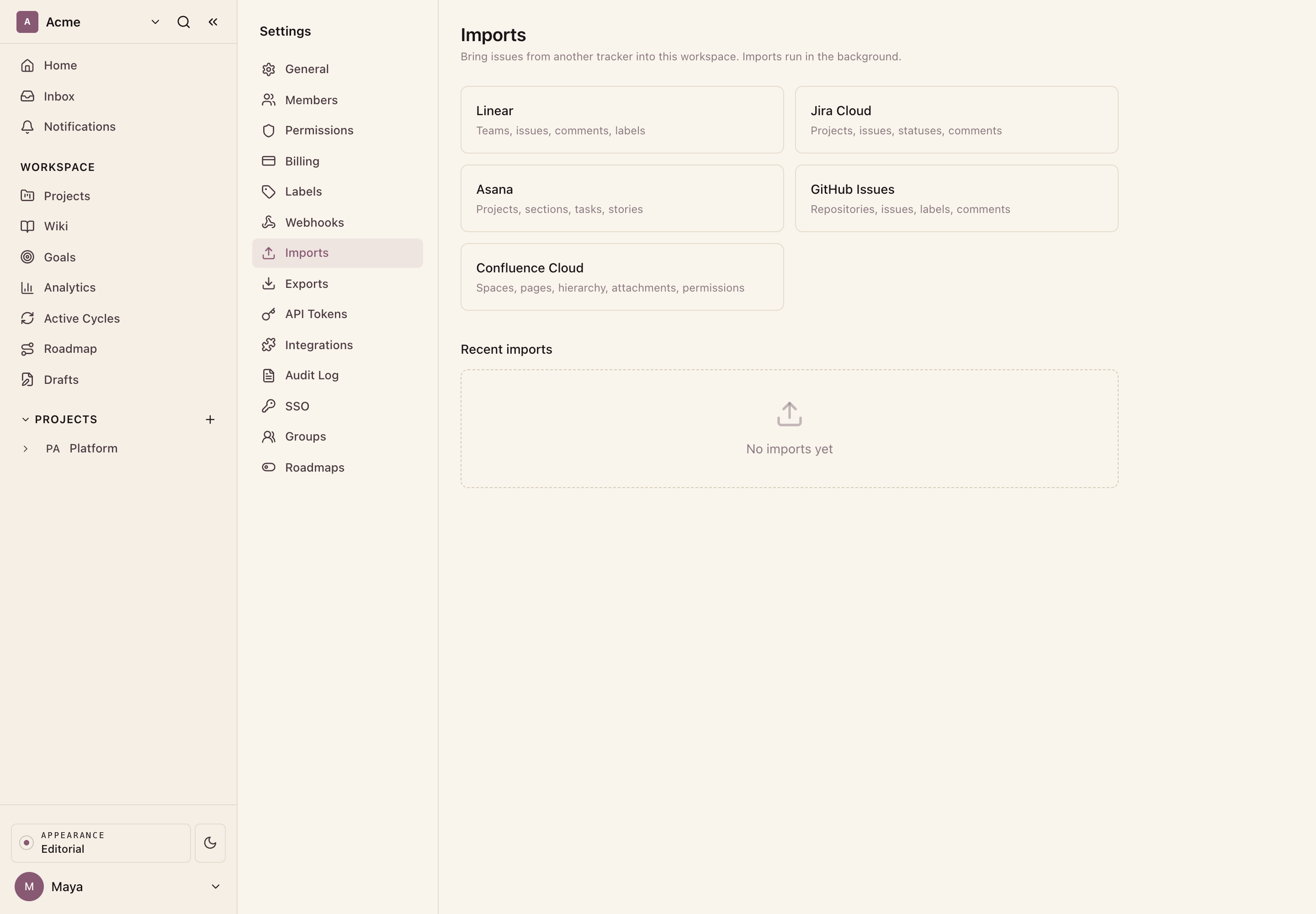
Bring your work from another tracker into Ithura. The Imports page offers five sources: Linear, Jira Cloud, Asana, GitHub Issues, and Confluence Cloud. Four of them import issues, and you can pick several source projects at once: each lands in its own new Ithura project. Confluence imports pages into a wiki. Every run happens in the background and finishes with a report of what came in.
Where it lives
Open Workspace settings -> Imports at /{workspace}/settings/imports. The
page lists the available sources and a history of recent import jobs. Pick a
source to start its wizard.
The five sources
Each source has its own step-by-step guide, linked below.
| Source | Brings in | Connects with |
|---|---|---|
| Linear | Issues, with descriptions, comments, labels, assignees, priority, state, and dates | A Linear API key |
| Jira Cloud | Issues, with description, comments, labels, assignees, priority, status, and dates | Site URL, email, and API token |
| Asana | Tasks as issues, with notes, comments, tags as labels, assignee, section as state, and dates | An Asana API token |
| GitHub Issues | Issues only (pull requests are skipped), with body, comments, labels, and open / closed state | A GitHub API token |
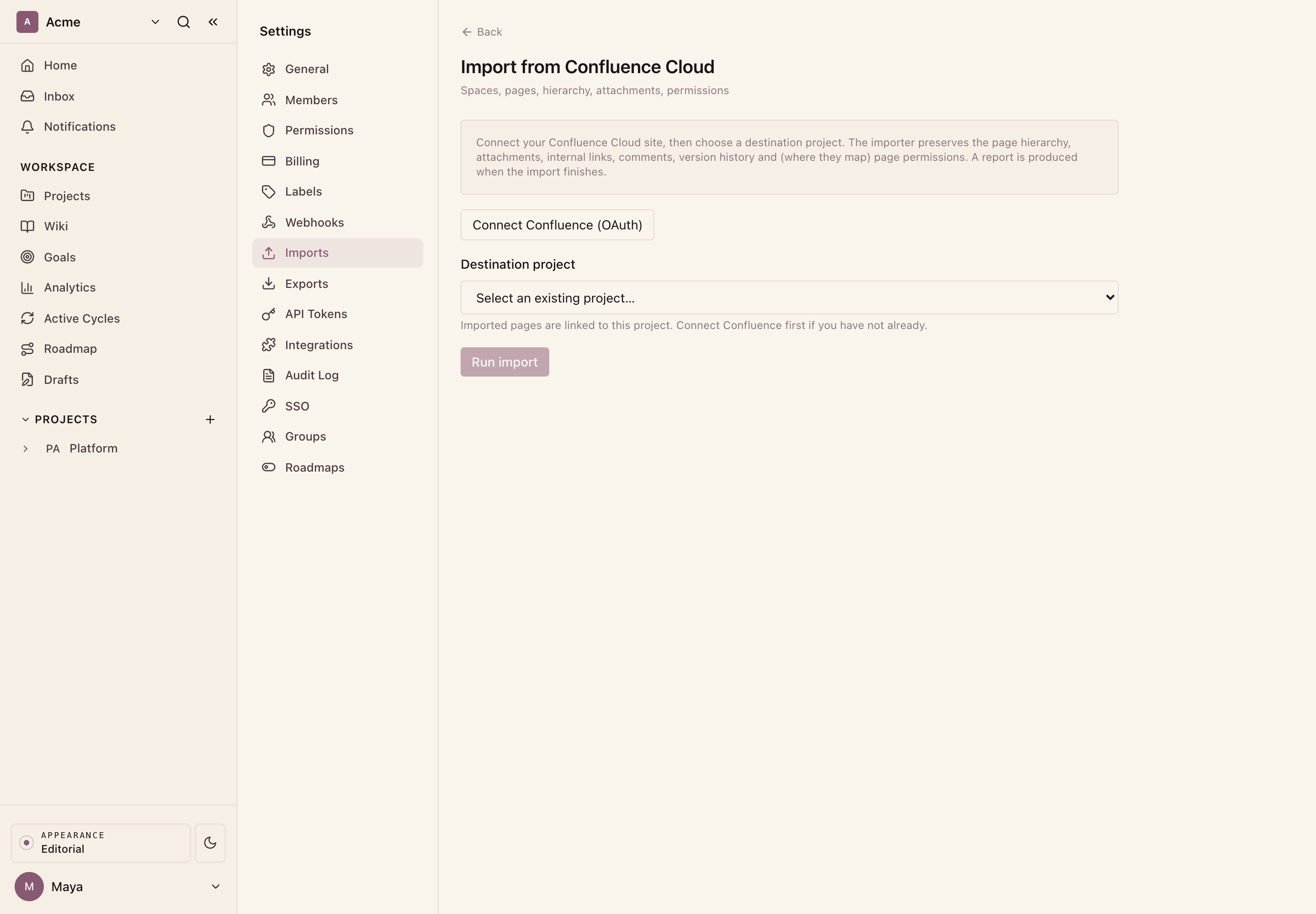
| Confluence Cloud | Pages into a wiki, with hierarchy, attachments, internal links, and page permissions | OAuth |
How an issue import runs (Linear, Jira, Asana, GitHub)
The four issue importers share one wizard:
- Pick the source on the Imports page.
- Connect: enter the credentials the source needs (a Linear API key; a Jira site URL, email, and API token; an Asana API token; or a GitHub API token). These are your own credentials for that source account, entered per import.
- Select projects: Ithura lists the projects, teams, or repositories the credentials can reach, each with a checkbox. Tick one or more. Each imports into its own new Ithura project, named after the source. Re-importing a same-named project updates it in place instead of duplicating.
- Review the combined preview: Ithura validates every selected project and shows the summed counts plus the union of source people with no matching Ithura account, whose work would be attributed to you, before anything is created.
- Run: each selected project starts as its own background job and appears in Recent imports.
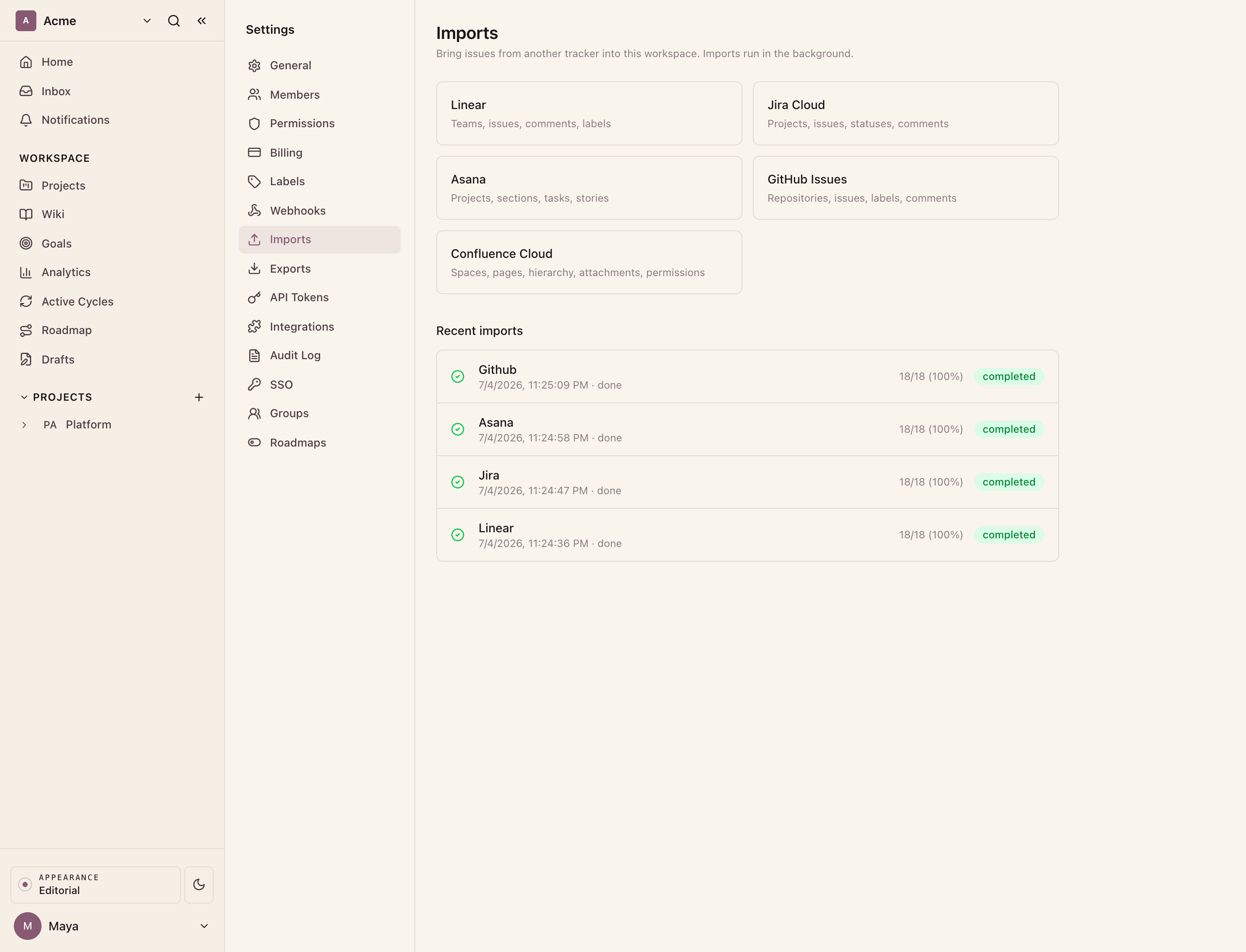
The Connect step is where each source differs: it asks only for the credentials that source needs, with a note on where to generate them. The per-source guides (linked in the table above) walk every step with screenshots. When a run finishes, it shows in Recent imports with a completed count.
Good to know
- GitHub imports issues only; pull requests are skipped. GitHub does not expose member email addresses, so assignees and comment authors are attributed to the person who ran the import rather than matched to Ithura accounts.
- Linear and Jira match assignees to Ithura accounts by email where the address is available.
- Each source maps its own status or section onto Ithura's state groups (backlog, unstarted, started, completed, cancelled).
Importing Confluence pages
Confluence is the exception: it connects over OAuth and imports pages into a wiki rather than issues into a project, preserving hierarchy, attachments, internal links, and (where they map) page permissions. It has its own detailed guide: see Confluence import.
While it runs
Imports run in the background, so you can leave the page. The Recent imports list refreshes on its own, and each job shows its status and progress. Expand a job to see its current stage, a Cancel button while it is pending or running, and the completion report once it finishes. Any errors are recorded per stage.
Troubleshooting
- The connection fails at Connect or Preview. Re-check the credentials for that source. For Jira, the site URL, email, and API token must all belong to the same Atlassian account. For the token-based sources, the token needs read access to the projects or repositories you want to import.
- A job is stuck pending or running. Expand it and use Cancel, then start a new import.
- Some issues are unassigned after a GitHub import. GitHub hides member emails, so those issues fall back to the person who ran the import. Reassign them in Ithura.
- Confluence-specific questions (macros, permissions, unresolved links) are covered in the Confluence import guide.