Import from GitHub
Bring a GitHub repository's issues into an Ithura project. The importer reads a repository's issues over the GitHub API and re-creates each one as an Ithura issue, carrying across the title, body, comments, labels, and open or closed state. Pull requests are skipped: this imports issues only. Every run happens in the background and lands in the Recent imports list when it finishes.
GitHub is one of several import sources. For the shared mechanics and the other sources, see the Imports overview.
Before you start
- A GitHub personal access token with the
reposcope. Generate one at github.com under Settings, then Developer settings, then Personal access tokens. This is your own token for your own GitHub account, entered per import (Ithura does not store a shared GitHub connection). - You do not need to create a destination project first: each repository you select imports into its own new Ithura project, named after it.
Step by step
Open Workspace settings -> Imports at /{workspace}/settings/imports, then
click GitHub Issues.
-
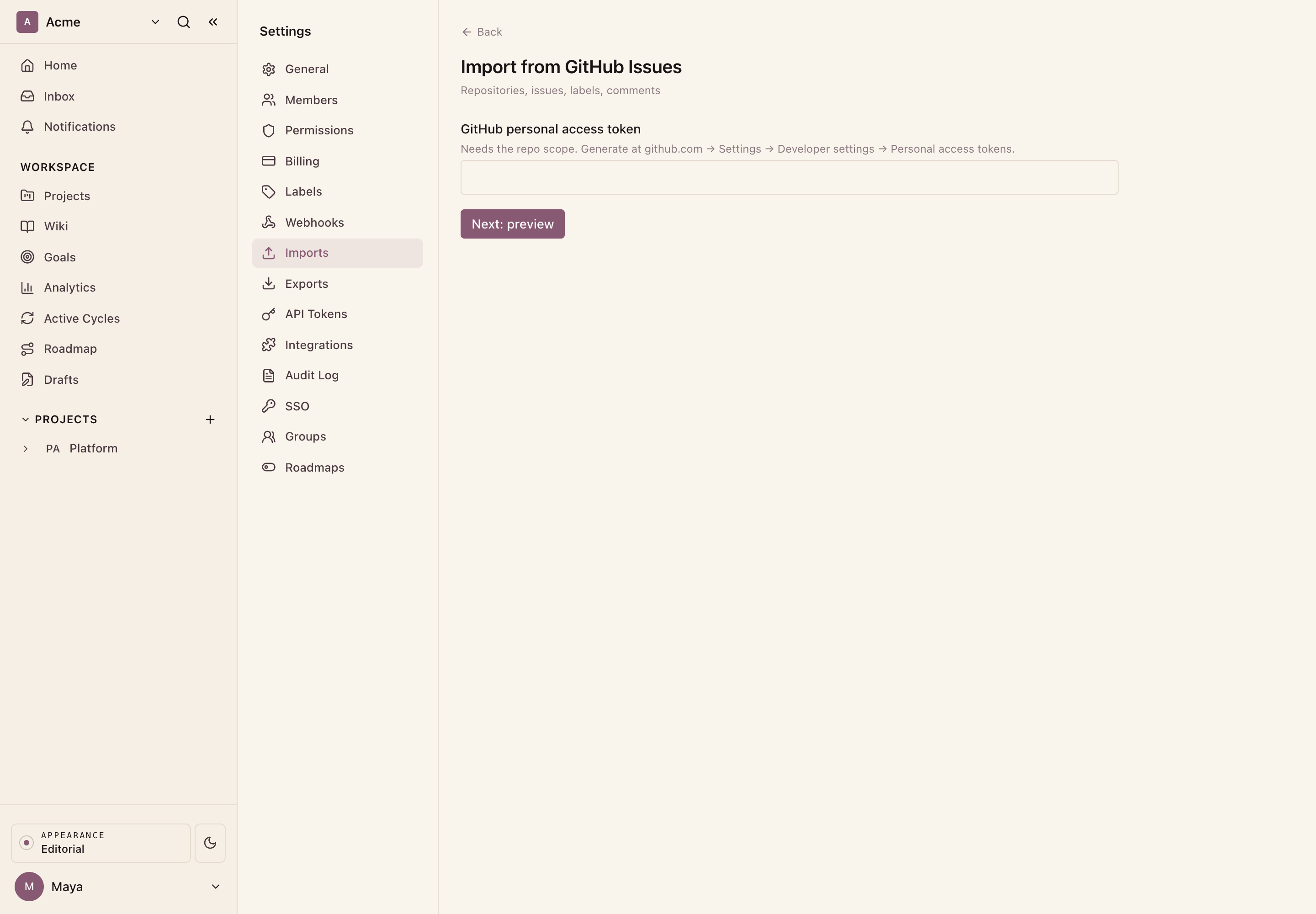
Connect. Paste your GitHub personal access token and click Next: preview. Ithura validates the token and reads the repositories it can see.
-
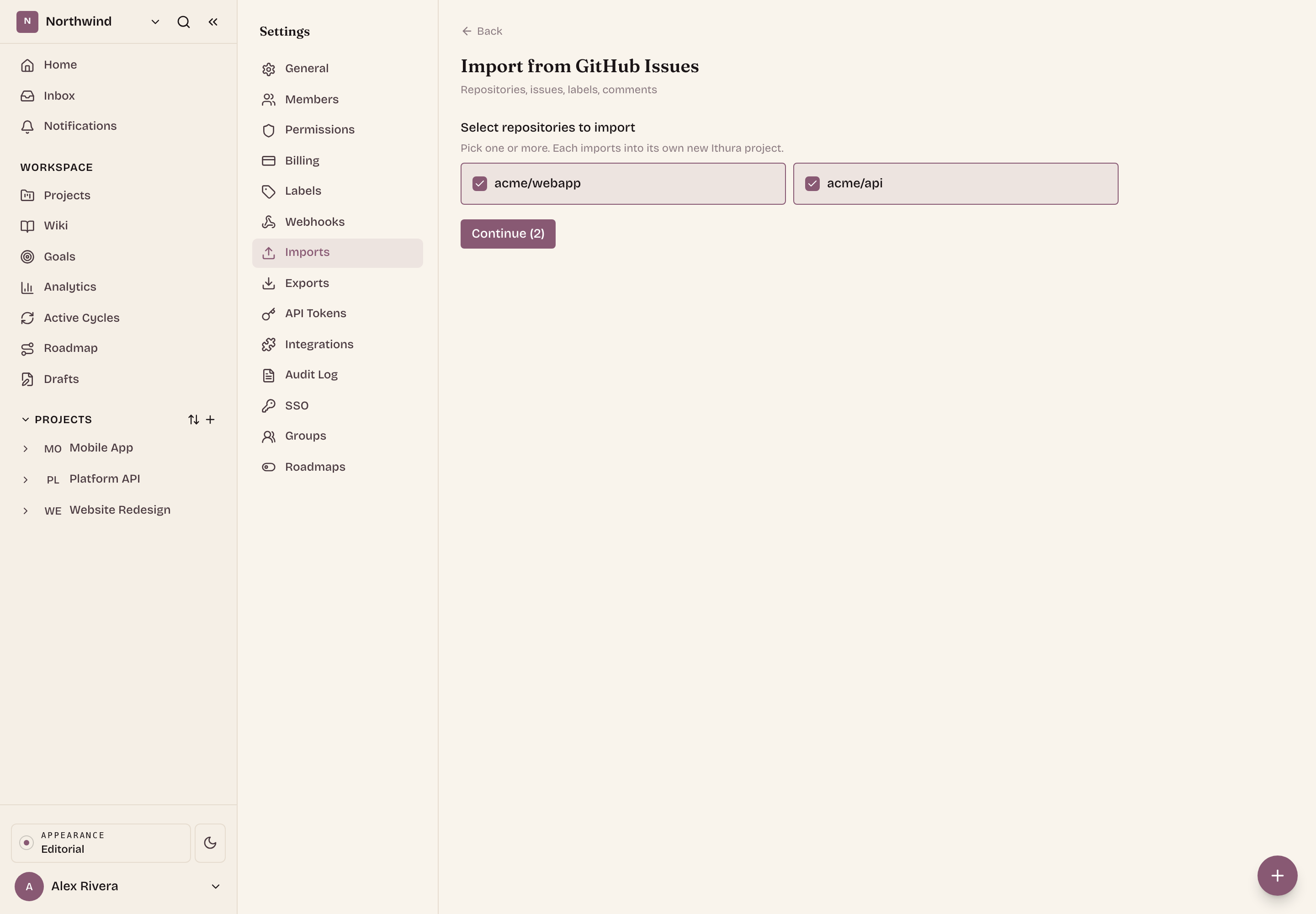
Select repositories. The preview lists the repositories the token can reach, most recently updated first, each with a checkbox. Tick one or more. Every repository you pick imports into its own new Ithura project, named after it, so you can move several across in a single run. Re-importing a repository that already has a same-named Ithura project updates it in place rather than creating a duplicate. Click Continue.
-
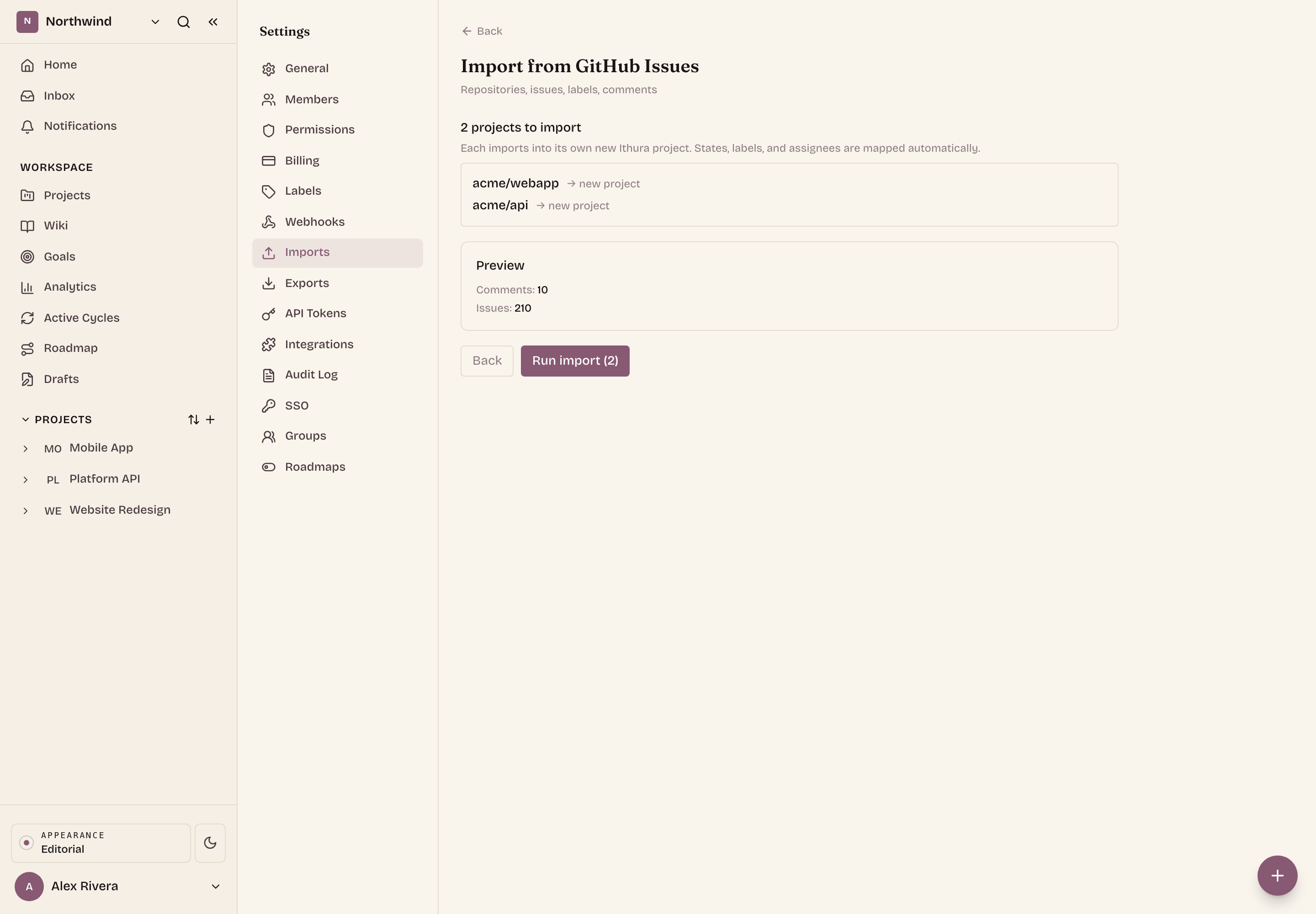
Review the combined preview. Ithura validates each selected repository and shows the summed issue and comment counts (excluding pull requests). When the totals look right, click Run import.
-
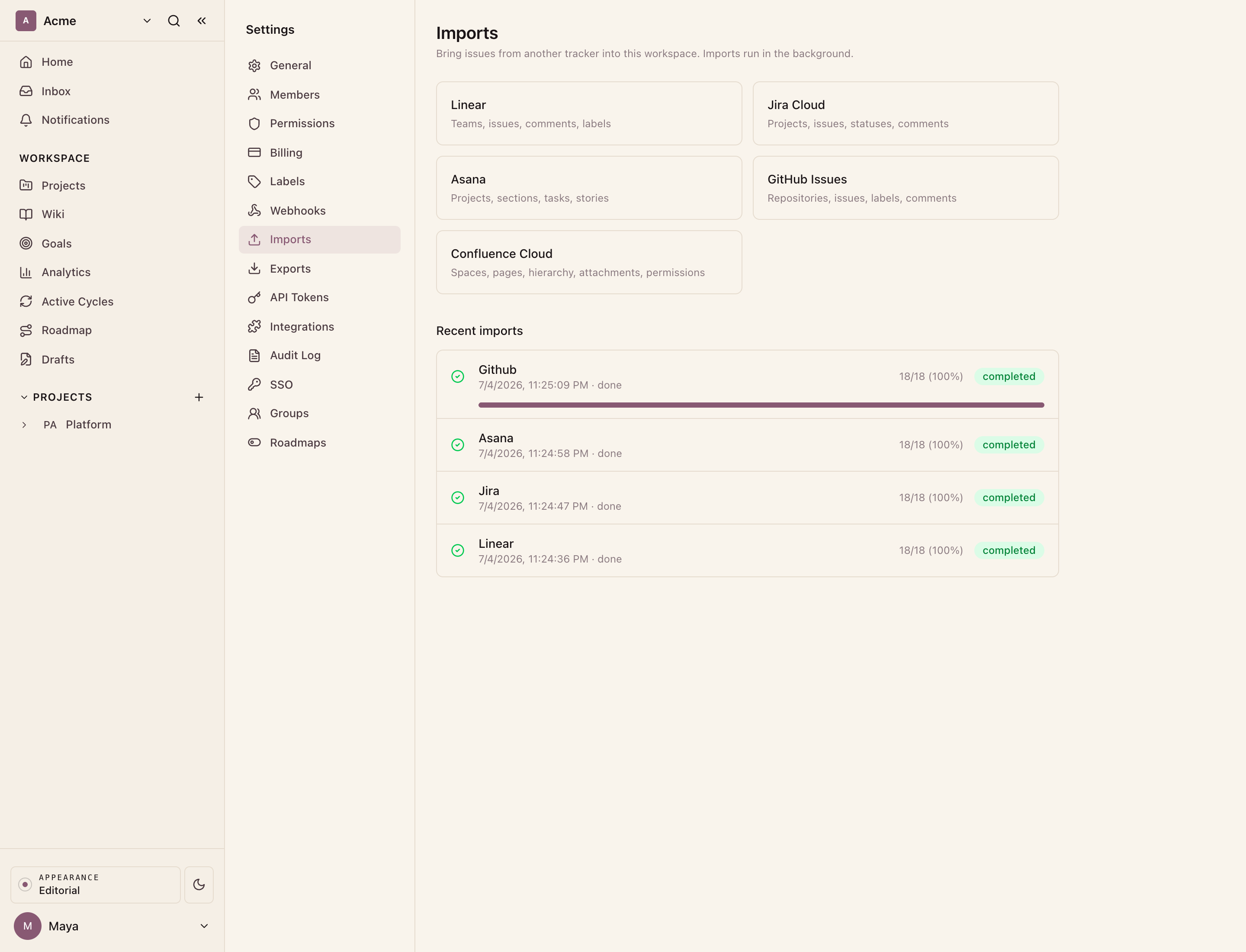
Watch it run. Each selected repository starts as its own background job and appears at the top of Recent imports, refreshing on its own with the status and how many issues have been processed. When every job reaches completed, the import is done.
What comes across
For each issue in the repository (open and closed), the importer maps:
- Issue. The title becomes the issue name and the GitHub body becomes the Ithura description. Created date and closed date (as the completed date) carry across.
- Comments. Each comment on the issue is recreated with its body and creation time.
- Labels. Every GitHub label on the issue is applied, created in the destination project if it does not exist yet.
- State. An open issue lands in the unstarted state group and a closed issue lands in completed.
- Priority. GitHub has no priority field, so priority is derived from the issue's label names: a label containing "urgent", "critical", or "blocker" sets Urgent, "high" sets High, "medium" sets Medium, and "low" sets Low. If no label matches, the issue gets no priority.
- Assignees and comment authors. GitHub does not expose member email addresses, so there is nothing to match Ithura accounts against. Assignees and comment authors are attributed to you, the person who ran the import, rather than to individual GitHub users.
Good to know
- Pull requests are skipped. The importer only brings in issues. Any pull request in the repository is ignored, and the preview count reflects issues only.
- Everyone maps to you. Because GitHub hides emails, assignees and comment authors all become you. Reassign issues in Ithura afterward if you want them spread across the team.
- Name your labels for priority. If you want priorities to come across, make sure the GitHub labels use words like "high" or "critical" that the importer recognizes. Other labels still import, they just do not set a priority.
- Re-running is safe. Imports are idempotent: each issue is tracked by its GitHub number, so re-running the same repository creates no duplicates.
What is not imported
- Pull requests (only issues are imported).
- Assignees and comment authors are not linked to Ithura accounts (GitHub does not expose member emails), so imported work is attributed to you.
- Milestones, projects, reactions, and attachments.
- Issues with more than 100 comments keep the first 100.
Troubleshooting
- The connection fails at Connect or Preview. The token is wrong or missing
the
reposcope. Generate a fresh personal access token withrepoand paste it again. - No repositories appear. The token can only see repositories your GitHub account can access. Use a token from an account with access to the repository you want.
- Issues are unassigned after the import. GitHub hides member emails, so every issue was attributed to you. Reassign them in Ithura by hand.
- Priorities are all "none". No labels matched the priority keywords. Rename the GitHub labels to include "high", "medium", "low", or "urgent" and re-import into a clean project, or set priorities in Ithura directly.
- A job is stuck pending or running. Expand it in Recent imports and click Cancel, then start a new import.