Every project in a workspace keeps its own dates: modules with start and target dates, cycles marching in sprints. What no single project can answer is the question a lead actually asks in a planning review: when does all of it land, together? Until now the honest answer was to open each project in its own tab and hold the timeline in your head. The new Roadmap replaces that with one horizontal timeline for the whole workspace, in the spirit of a portfolio view: every project a swimlane, every module and cycle a bar, all on the same axis of time.
The whole workspace on one timeline
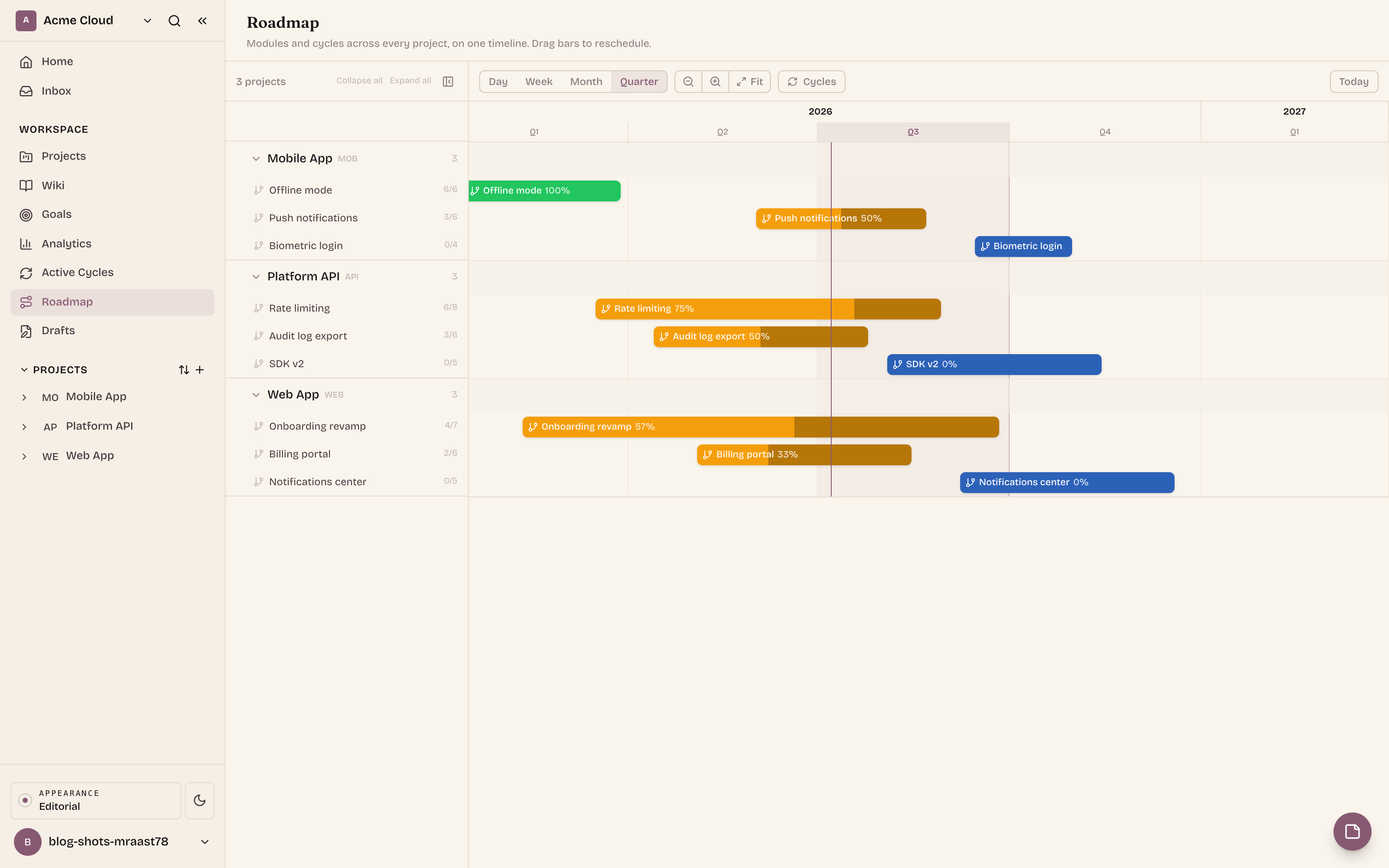
Roadmap is a new entry in the workspace sidebar. It draws one swimlane per project, and inside each lane a horizontal bar for every module and cycle that has dates, positioned exactly by its date range.
The bars do more than mark a span. Each one is coloured by status: planned modules read blue, in-progress amber, completed green; cycles carry their own states (current, upcoming, completed, draft). And each bar carries a live progress fill with a percent label, computed from completed versus total issues, with cancelled issues excluded so they never drag the number down. You read status, schedule, and progress off one glance at one bar.
Modules and cycles, finally on one canvas
Modules and cycles are two independent groupings over the same issues. A module is the narrative unit: the feature, the epic, the thing you ship. A cycle is the cadence unit: the sprint you work in. A module usually spans several cycles; a cycle usually carries slices of many modules. Every issue view shows you one grouping or the other. The roadmap is the first place where both live on the same canvas, so you can see how the story of what ships threads through the rhythm of when you work.
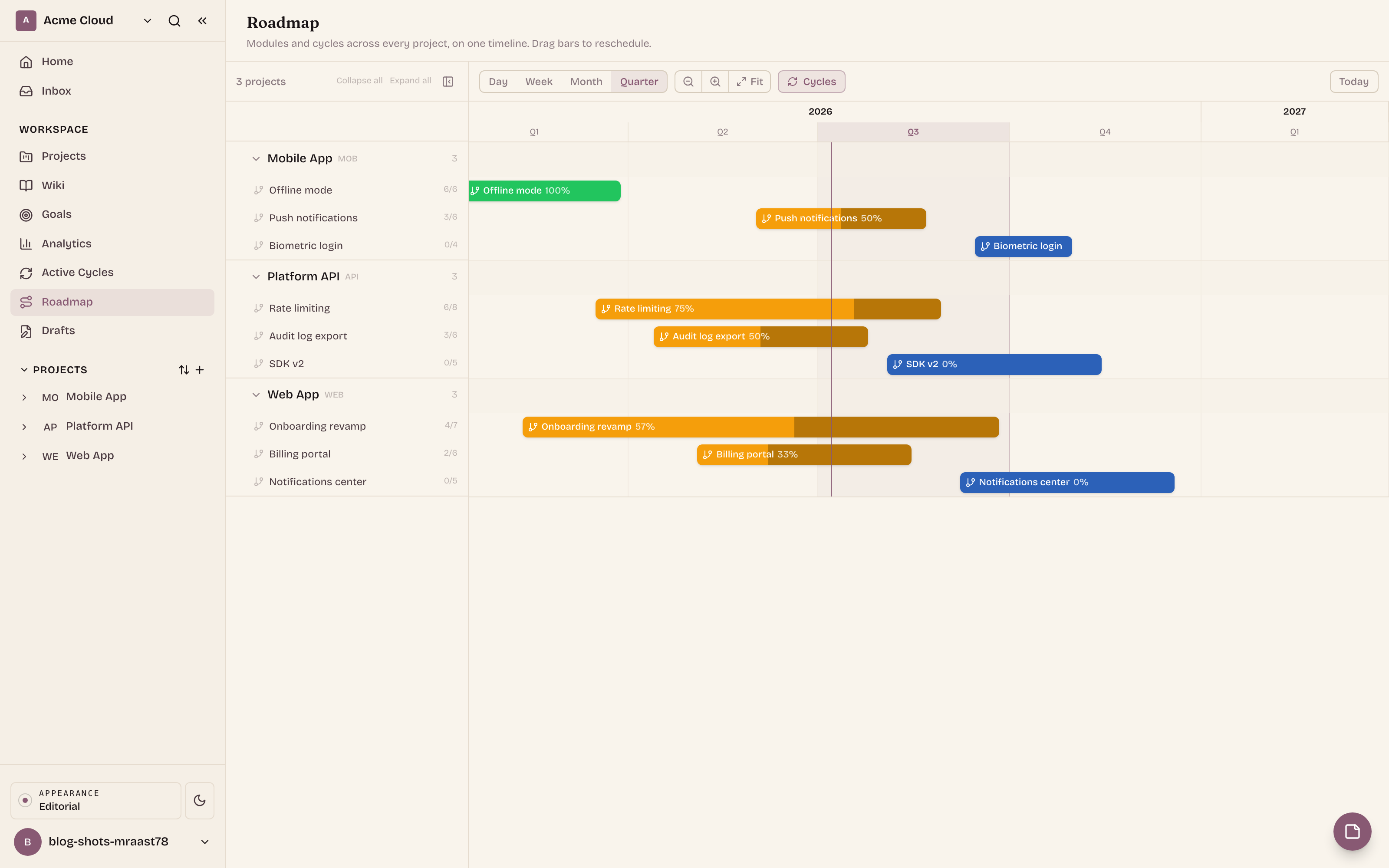
At workspace scale, though, drawing every sprint of every project turns the timeline into a picket fence. So the workspace roadmap defaults to modules only, and a Cycles toggle in the toolbar overlays the cadence when you want it. The per-project tab makes the opposite call and shows cycles by default, because inside one project the sprints are the point. Each preference persists, so the view reopens the way you left it.
Zoom to the horizon you plan at
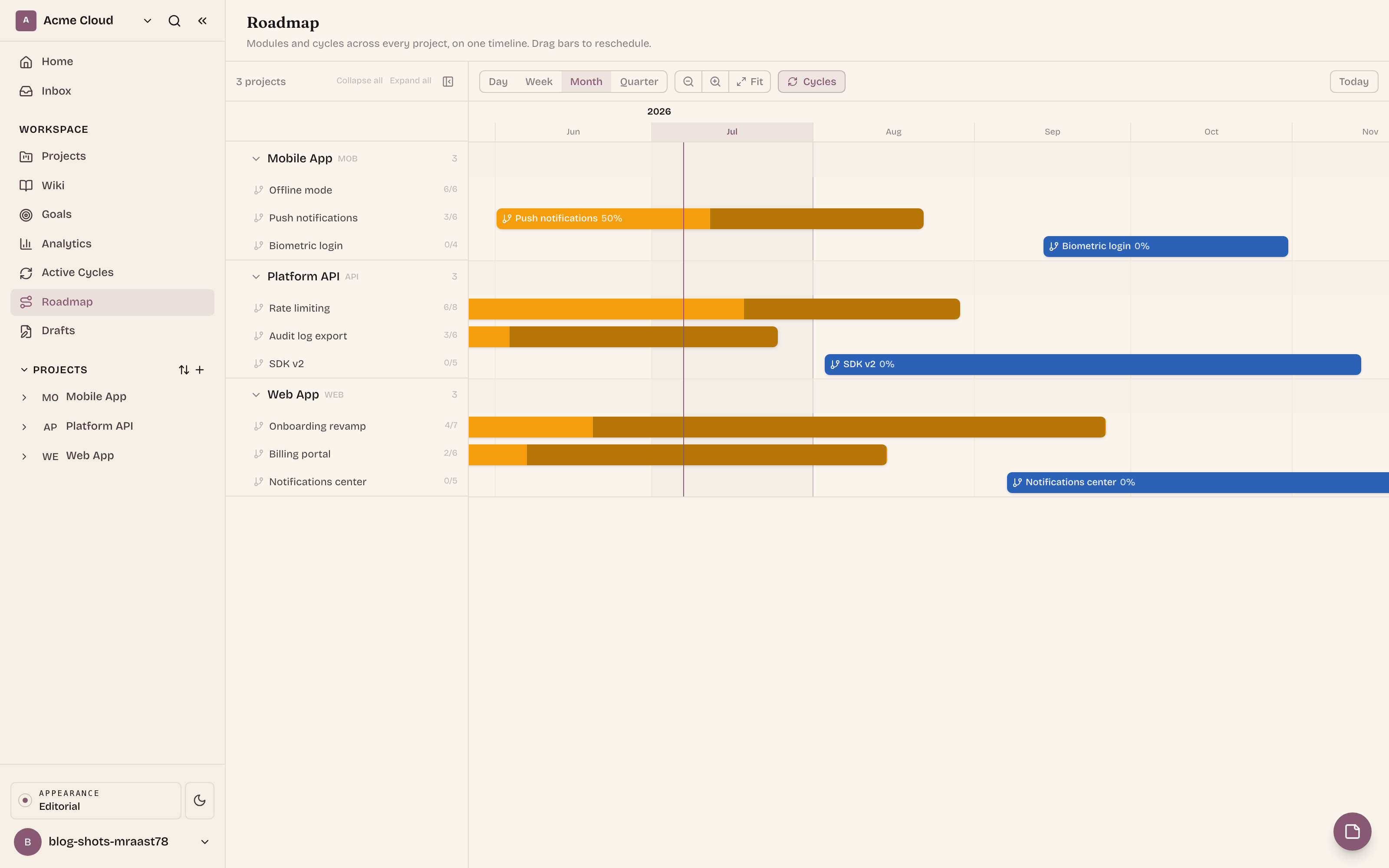
A roadmap conversation happens at different altitudes: this week's standup, the sprint review, the quarterly planning call. The roadmap has a zoom preset for each: Day, Week, Month, Quarter. The header always reads in two rows, the coarse unit on top (year or quarter) and the fine unit below (month, week, or day), and a today marker line cuts vertically through every lane so "where are we" never needs a second look. Your zoom choice persists too: the roadmap reopens at the altitude you work at.
Reschedule with a drag
Plans move, and re-dating a module through an edit form is exactly the kind of friction that makes roadmaps go stale. On this one, the bars themselves are the edit surface:
- Drag the body of a bar to shift the whole window, start and end together, keeping the duration.
- Drag either edge to move just the start or just the end.
- Movement snaps to whole days at every zoom level, so a drag at Quarter zoom lands on a real date, not a smear of pixels.
- Esc cancels mid-drag and the bar springs back.
The change saves the moment you drop: the bar stays where you put it (an optimistic update), and if the server rejects the change it reverts with a toast. One exception is deliberate: completed cycles are locked. They render without drag handles, because a sprint that already happened is history, not a plan.
Slide the control to move this module bar along a four-week window. It moves in whole-day steps, the way a real drag snaps, and the date readout follows.
Billing revamp: Jul 10 to Jul 18, a 9-day window shifted whole. In the app, dragging an edge moves just the start or the end instead.
Each project has its own roadmap too
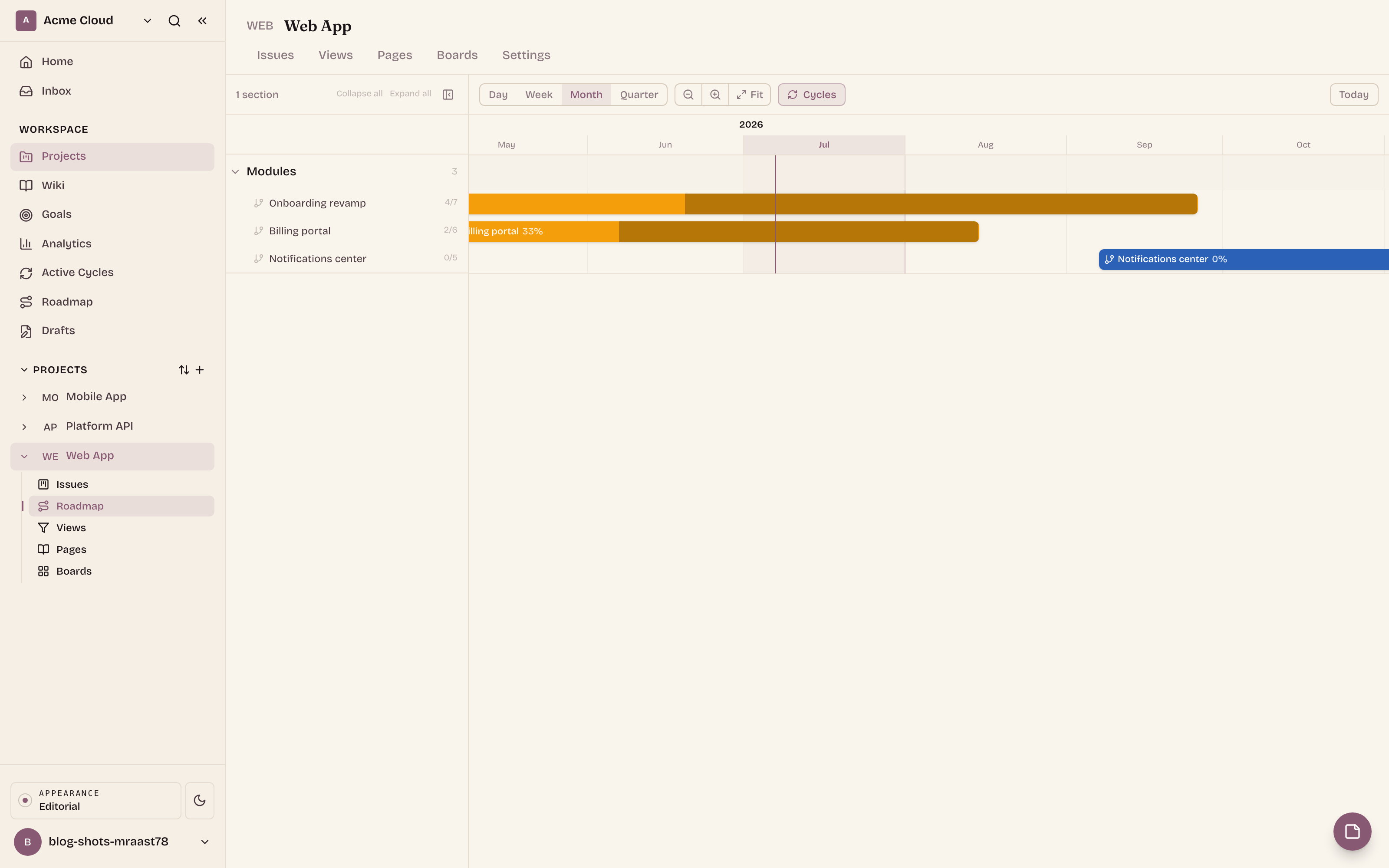
The same timeline also lives inside every project, as a Roadmap tab, scoped to that project alone and split into separate Modules and Cycles sections. This is the working view: the sprints march across the bottom in their steps, the module bars stretch above them, and the team can see which sprints a module actually crosses. Same bars, same zoom presets, same drag-to-reschedule; only the scope changes.
Built to hold a big workspace
A portfolio view earns its keep on workspaces with many projects, so the roadmap is built for volume:
- Collapsible lanes. Fold any project down to its header, or use Collapse all / Expand all to sweep the whole board. Collapse state persists per workspace.
- An honest count of the undated. Modules and cycles without dates are not drawn (a timeline cannot place them), but they are not hidden either: each lane shows an "+N unscheduled" chip so you know what is still waiting for a date.
- One call, virtualized lanes. The whole workspace loads through a single aggregate API call, and lanes render virtualized, so hundreds of projects scroll smoothly.
Why it helps
None of the information on the roadmap is new: the dates, statuses, and issue counts were always in the workspace. What is new is the shape. One axis of time, one lane per project, and both groupings of the same work visible at once turn a dozen tabs of context into a single glance, and drag-to-reschedule means the picture stays true, because updating the plan is easier than letting it rot. Open the Roadmap before your next planning call and start the conversation from the same canvas.